Script Visualisation
Engine creates a visual representation of scripts in your flows, schedulers, or wrappers.
Concept
Using static code analysis Engine extracts the control-flow and several key-commands of your scripts. This data is used to create a flowchart.
Features
Child Flow
Child flows are visualised as a squared box with a code icon.
import flow_api

def handler(system: flow_api.System, this: flow_api.Execution, inputs: dict):
    system.flow('child').run()
    return this.success('all done')
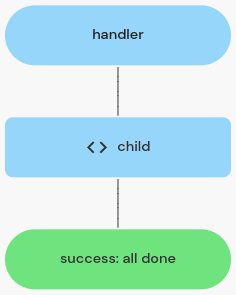
a child flow execution visualised
Child Connection
Child connection are visualised as a squared box with a plug icon.
import flow_api

def handler(system: flow_api.System, this: flow_api.Execution, inputs: dict):
    this.connect(
        'server',
        name='read diskspace',
        mode={'mode_name': 'execute_script', 'script': 'df -B1'},
    )
    return this.success('all done')
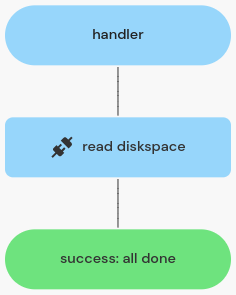
a child connection execution visualised
Module Call
Calls into a function of a shared Python module are visualised as a squared box with a package icon, labelled with the module and function being called.
import flow_api
import greetings

def handler(system: flow_api.System, this: flow_api.Execution, inputs: dict):
    greetings.greet(this, 'world')
    return this.success('all done')

a module call visualised
Condition
Conditions are visualised as a rhomb shape with "true" and "false" lines.
import flow_api

def handler(system: flow_api.System, this: flow_api.Execution, inputs: dict):
    if condition:
        system.flow('child A').run()
    else:
        system.flow('child B').run()
    return this.success('all done')
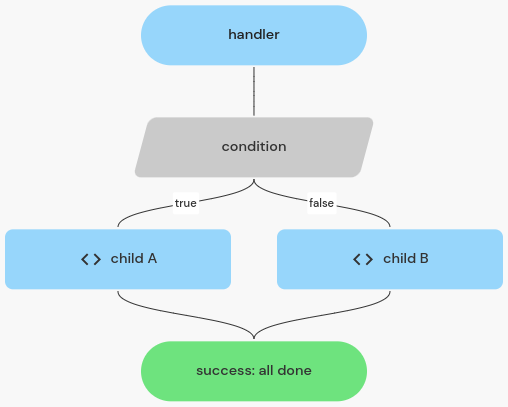
a condition visualised
For Loop
For loops are visualised using a box containing the looping body.
import flow_api

def handler(system: flow_api.System, this: flow_api.Execution, inputs: dict):
    for count in range(3):
        system.flow('child').run()
    return this.success('all done')
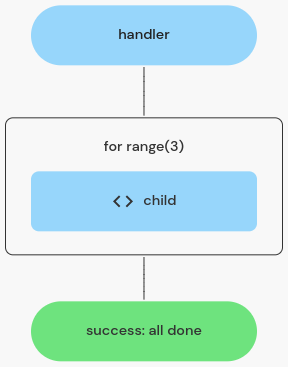
a for loop visualised
While Loop
While loops are visualised using a box containing the looping body.
import flow_api

def handler(system: flow_api.System, this: flow_api.Execution, inputs: dict):
    while condition:
        system.flow('child').run()
    return this.success('all done')
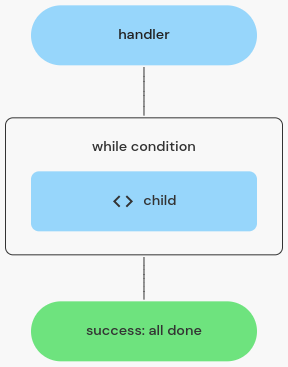
a while loop visualised
Exception Handler
Exception handlers are visualised using a box containing the try body. There are lines for each exception type being caught and one line for the "else" path (no exception).
import flow_api

def handler(system: flow_api.System, this: flow_api.Execution, inputs: dict):
    try:
        system.flow('child A').run()
    except flow_api.DependencyFailedError:
        system.flow('child B').run()
    else:
        system.flow('child C').run()
    return this.success('all done')
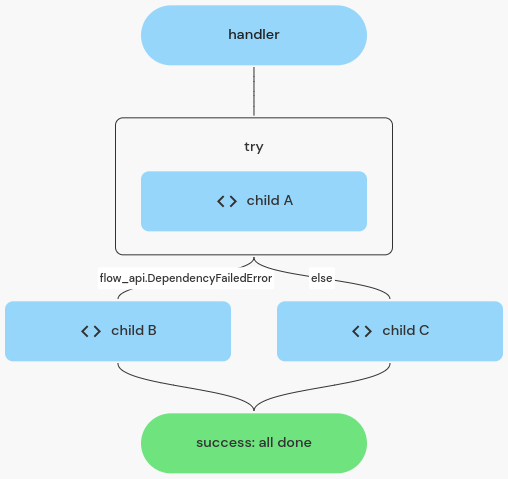
an exception handler visualised
Return
Returning success or error is visualized using a colored rounded square.
import flow_api

def handler(system: flow_api.System, this: flow_api.Execution, inputs: dict):
    if condition:
        return this.error('failed')
    else:
        return this.success('all done')
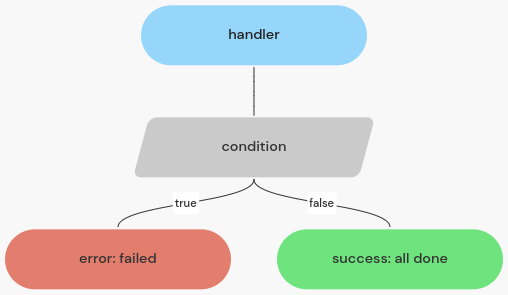
return states visualised
Combined Example
An example using various of the control structures.
import flow_api

def handler(system: flow_api.System, this: flow_api.Execution, inputs: dict):
    server_names = system.setting('monitor-servers').get('value')
    for server_name in server_names:
        report = this.connect(
            server_name,
            name='read diskspace',
            mode={'mode_name': 'execute_script', 'script': 'df -B1 /'},
        ).get('output_value')['report']
        available_bytes = int(report.split(' ')[3])
        if available_bytes < 5*1024**3:  # less than 5 GiB available
            try:
                system.flow('clean caches').run(server_name=server_name)
            except flow_api.DependencyFailedError:
                return this.error('failed to clean caches')
        else:
            this.connect(
                f'{server_name}-scp',
                name='copy files',
                mode={
                    'mode_name': 'copy_file_from_engine',
                    'source_file_name': 'backup.zip',
                    'destination_file_name': '/backups/backup.zip',
                },
            )
            break
    return this.success('all done')
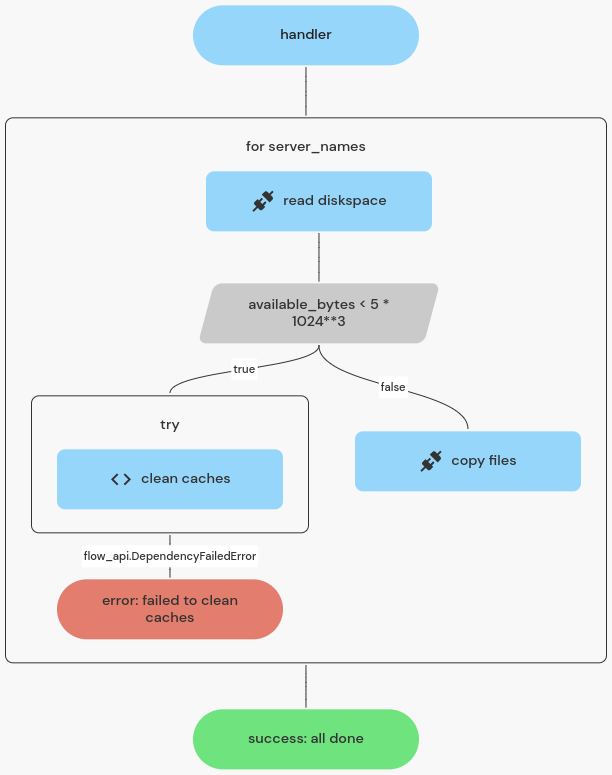
visualisation of example script